Finds official clips
Type a movie or series. Autopilot searches for official clips and picks the best section, skipping dialogue-heavy scenes.
Name a movie or series. Tinega Studio Pro finds official clips, picks the strongest moment, frames it full-screen in 9:16, grades it, scores it with synced sound design and writes the whole upload package. Then it posts on your schedule.
Sample output preview, made by Autopilot
Every step a top Shorts editor does by hand, built in as an automatic step with its own check.
Type a movie or series. Autopilot searches for official clips and picks the best section, skipping dialogue-heavy scenes.
Full-screen vertical framing, placed per shot with eased pans, that keeps faces in frame. It prefers wide and single-person scenes.
Teal Cinematic and other looks such as Warm Gold, Noir, Neon, Cold Blue and Blockbuster, with a live before-and-after preview.
Layered sound effects locked to on-screen moments, mixed under the original audio and mastered to −14 LUFS.
Title, description, tags, thumbnail and pinned comment, written from what is actually in the footage.
Every Short is checked before it can be queued: framing, length, resolution, loudness, sound sync and text that matches the footage.
Posts to YouTube and Facebook once a day at the time and timezone you set. Review-before-posting and dry-run are on by default.
Branded news cards from the latest world and local stories, with sources credited and an approval step.
Enter a movie or series, for example Game of Thrones Battle of the Bastards. No editing, no captions to write.
It finds official clips, chooses the best section, crops to 9:16, grades the color and designs synced sound effects.
The finished Short and its title, description, tags, thumbnail and pinned comment pass a strict automatic check.
Approve it in the queue, and it posts at your chosen time. Turn review off for full autopilot when you are ready.
A clean dark workspace for making, reviewing and scheduling everything.
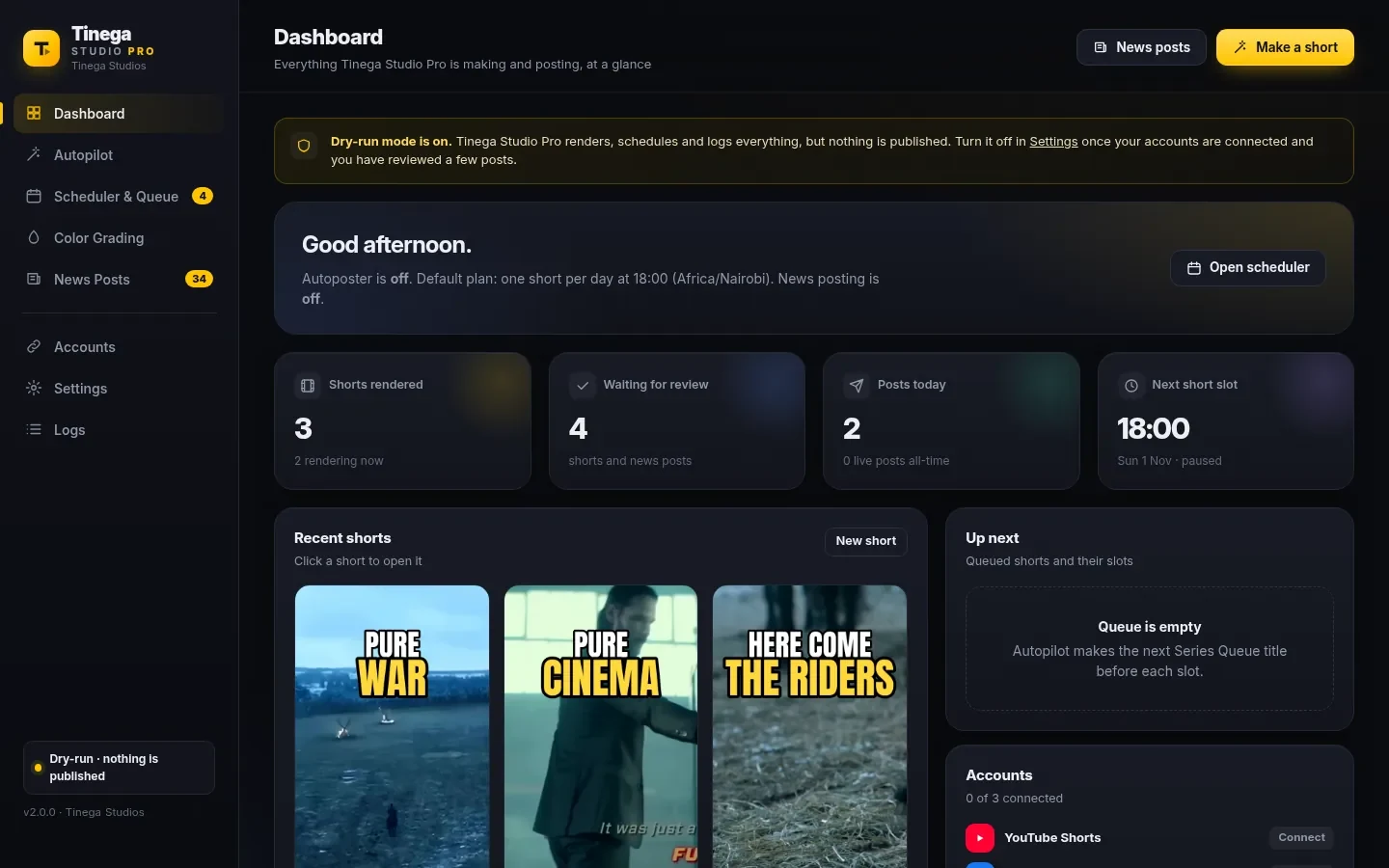
Dashboard: everything the app is making and posting, at a glance.
A separate section for X and Facebook that keeps your pages active between Shorts.
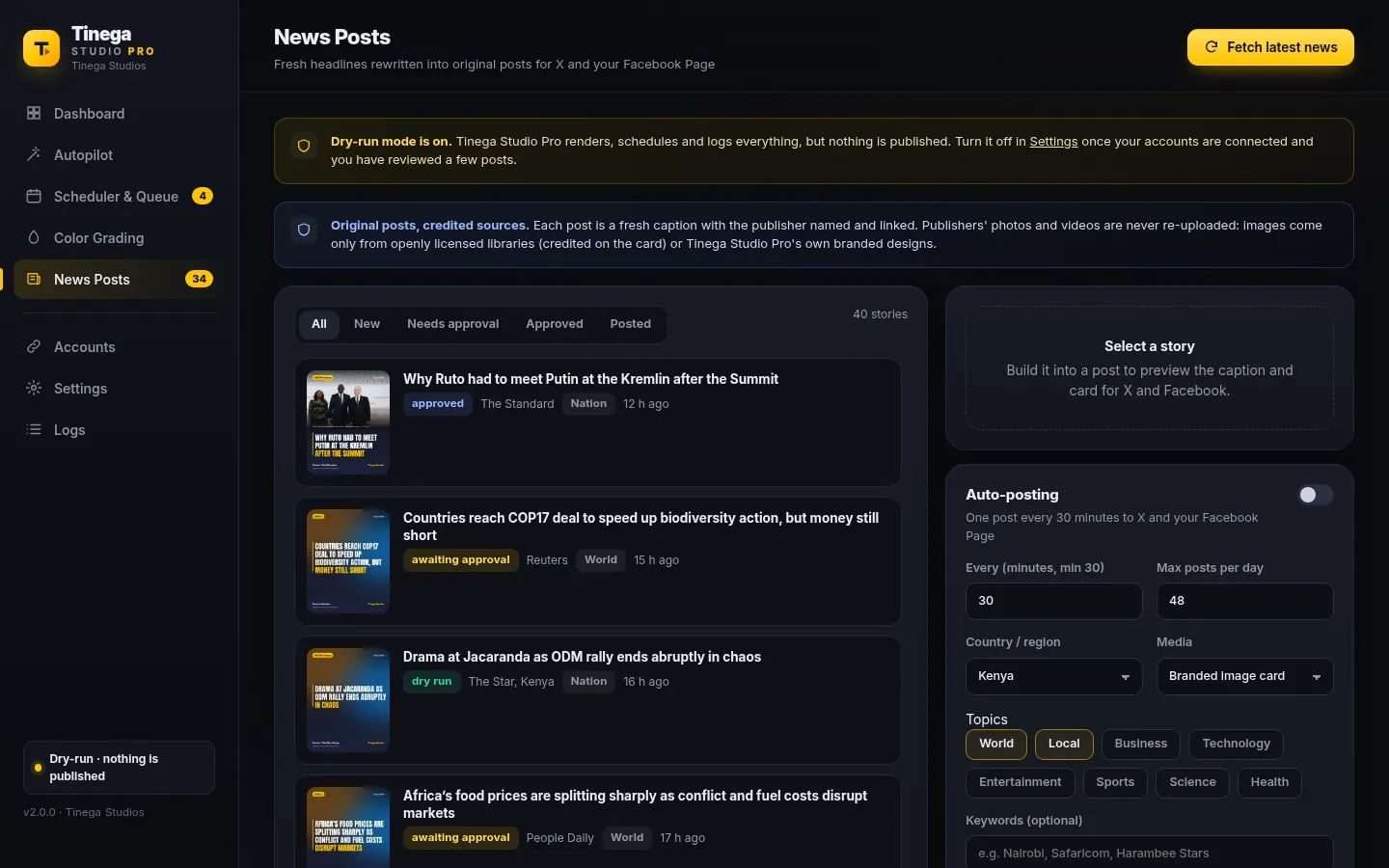
The rules are part of the app, not a setting you can forget.
Through the official YouTube, Facebook and X APIs. You connect your own accounts using your own developer apps, and setup guides are included. Your password is never entered into Tinega Studio Pro.
Google keeps uploads from new API apps private until the app passes Google's audit. After approval, Shorts can be published as public.
Not by default. Review-before-posting and dry-run mode are both on when you start, so nothing is published until you turn them off.
Movie and TV Shorts post once a day, at the time and in the timezone you set. News Posts go out at most once every 30 minutes, after the approval step.
You must have the rights or permission to use the footage. Movie and TV clips are usually copyrighted, and platforms may claim, block or remove them.
Openly licensed images, with every source credited on the card. It does not re-upload other publishers' photos or videos.
No. Tinega Studio Pro runs on your own computer. This website is where you can learn about it and request early access.
Tell us about your channel and we'll be in touch.